
Slow downer · Stem splitter · Loop trainer

Learn by ear.Play along with your recordings

Transcribe+ slows music down without changing the pitch, splits a song into its instruments, finds the beat, and loops the hard parts so you can practice along and learn faster.

4.5 from 5,300+ ratings On the App Store since 2016

For iPhone, iPad and Mac

Speed
1.00x
170 BPM
Pitch
0
Semitones
Speed and pitch

Slow it down.Change the pitch.

Drag across the speed pad to play anywhere from a quarter of the speed to double. Drag up or down to change the key, up to an octave either way. Fine tuning moves in single cents, for records that sit a little off of where you like to tune.

  • World class sound quality- even at slow speedsProcessing on device is quick, efficient, and most importantly sounds fantastic. 
  • Smooth playbackGo back to 1x while the song plays and the sound eases into the original in about half a second. No hiccups and everything feels great under your fingers.
  • Export what you hearSave a loop at 0.75x and the file sounds exactly like it did in the app, stems, EQ and fine tuning included.
Speed
0.25x to 2x
Key
±12 semitones
Fine tuning
±50 cents
Livescrub

Swipe to stop time.Listen note by note.

Drag the waveform, and it plays at the speed of your finger, forward or backward. Hold still and the sound under your finger keeps ringing, so you can find that note on your instrument.

  • It shows what you hearThe waveform follows the sound leaving the speaker, not the part of the file being read, so the line sits on the note you're hearing. It even allows for the delay of AirPods and other Bluetooth headphones.
  • Up to 120 frames a secondOn ProMotion displays the waveform moves with every frame of the screen, with a light haptic tick as you scrub.
  • Every stem moves togetherScrub a split song and all of its instruments stay locked to each other.
Touch to stop Drag to play at your speed Hold to keep the note ringing
Stem splitting

Six stems.Split on device.

  • Vocals
  • Drums
  • Bass
  • Guitar
  • Piano
  • Other

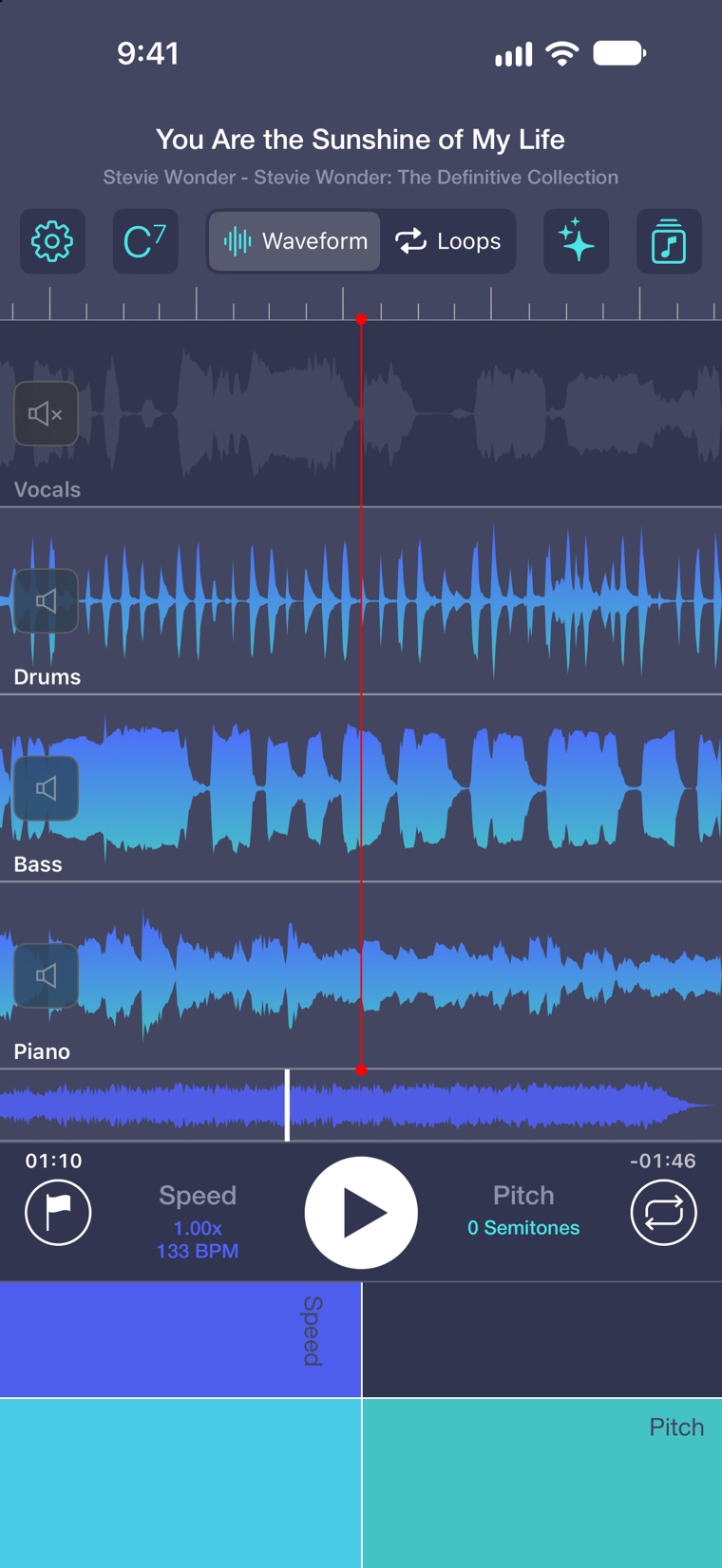
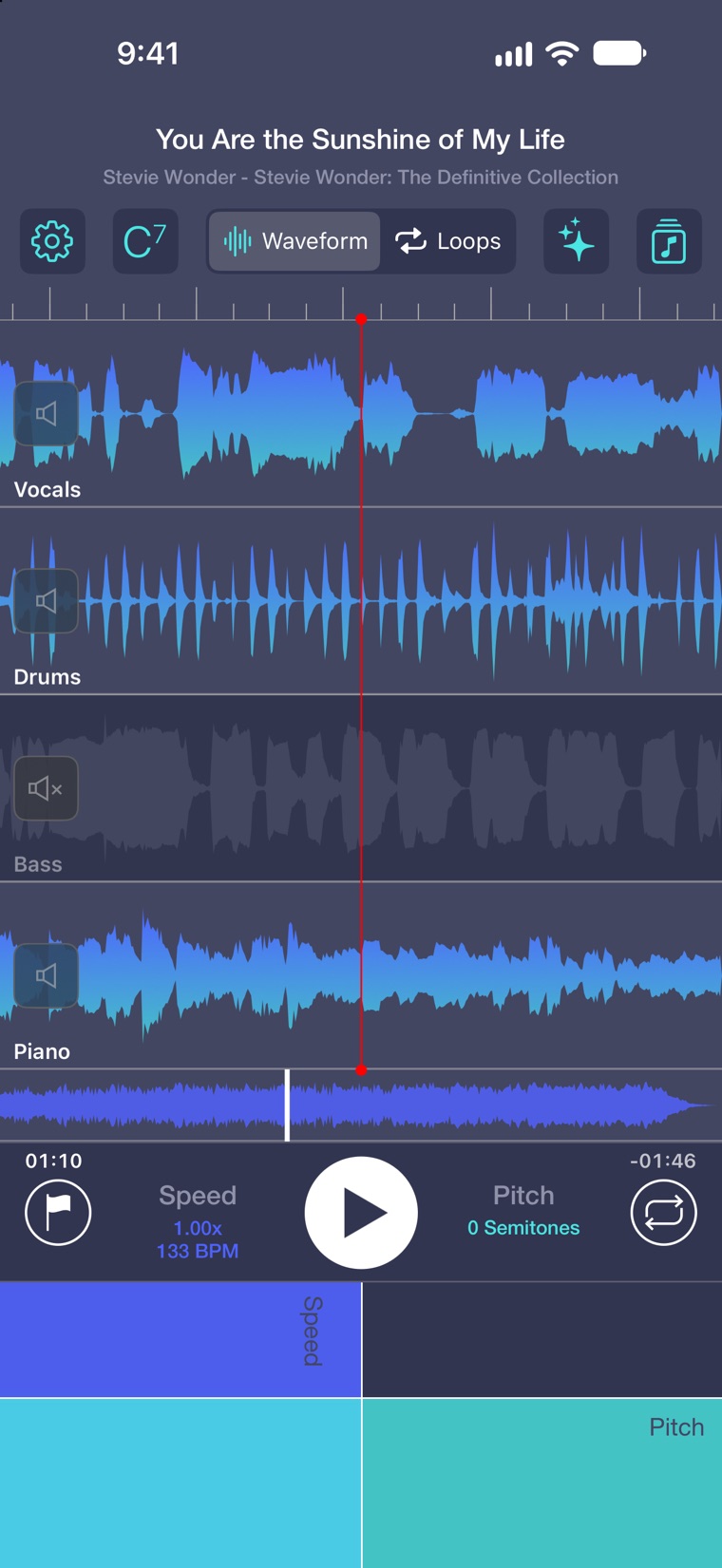
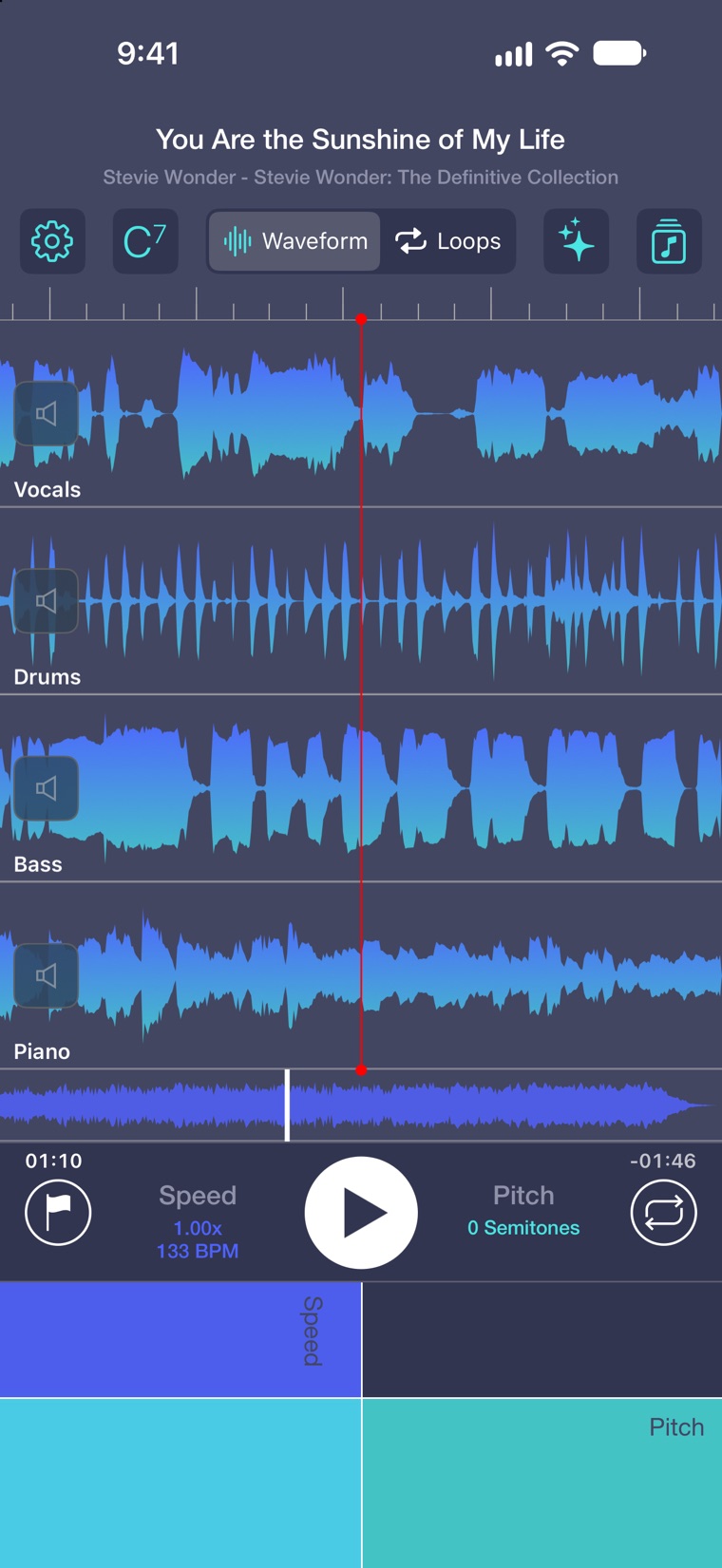
Split a song into its parts, then tap a stem to mute it or press and hold to hear it alone. Take the bass out and play the bass line yourself, or solo the piano to hear every voicing. It all happens on your device, with no uploading to the cloud and no limits.

  • Create your own play-along trackRemove the saxophone line (or any stem) and add your own lines to your favorite recordings.
  • Runs on the Neural EngineA large separation model, rebuilt layer by layer to run on Apple's Neural Engine.
  • Incredible quality, clean isolationStems are saved as full-quality WAV files, not compressed copies. If an instrument isn’t in the song, its stem is hidden instead of filled with leftover noise.

Six stems on devices with 8 GB of memory or more, four on others. Stem splitting works on DRM-free audio, such as your own recordings, imported files and iTunes purchases.

You Are the Sunshine of My Life split into vocals, drums, bass and piano
Attach your own chord charts

AI chord detection sucks.We have a better way.

Transcribe+ listens to the whole song on your device and maps every beat and bar, along with the tempo and the key. A ruler of bars runs above the waveform, loops snap to the beat, and a count-in lands on the downbeat at any speed.

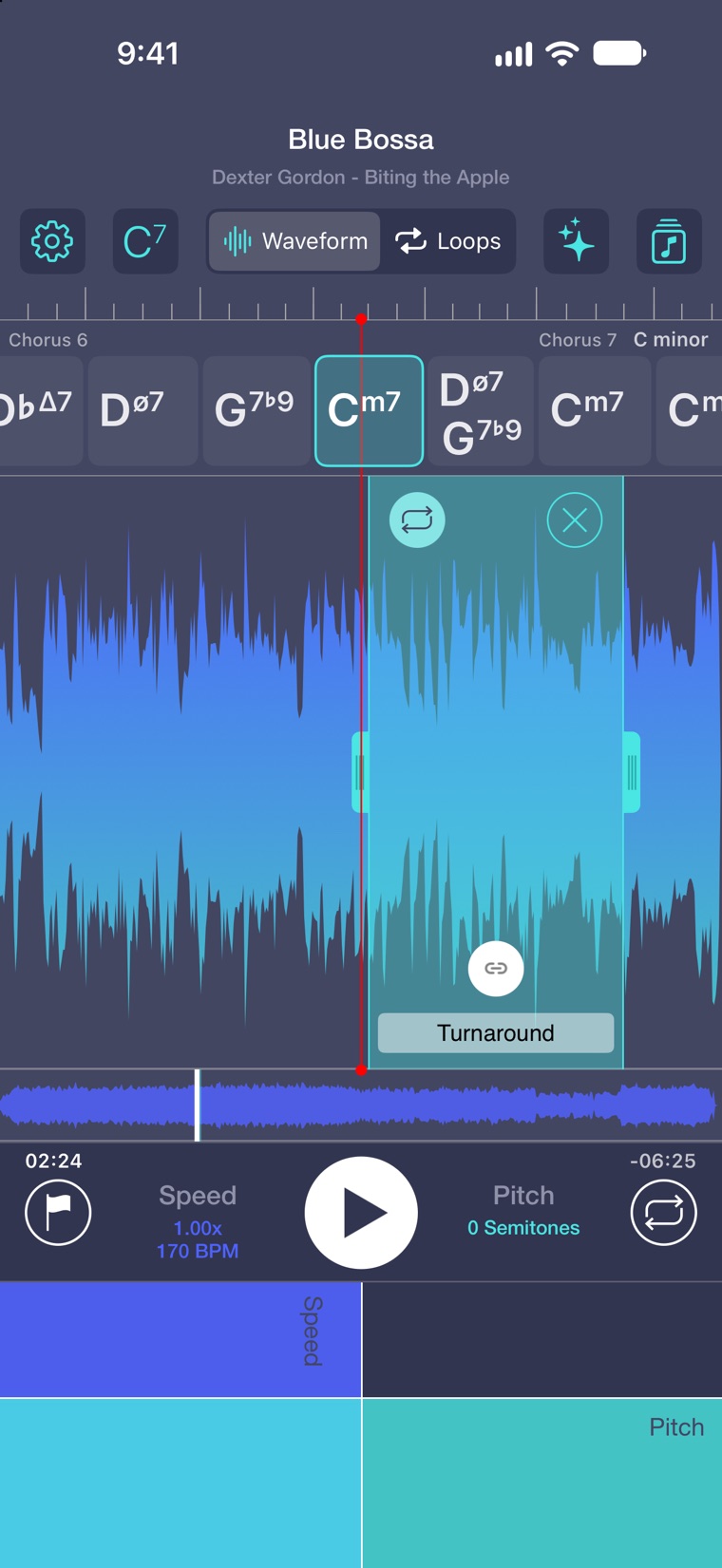
  • You import chord chartsAttach a chart you find online and the changes run under the waveform and track the actual form of the song. Import one song or an entire library to use later.
  • On device AI lines them up perfectlyThe detector suggests the precise beat where the form starts. When the detector stretches or squeezes a bar, Transcribe+ spots it and offers a one-tap fix. Songs heard at double or half tempo are fixed the same way.
  • Compatible with common formatsFind a chart online, paste one, or open a MusicXML, ABC or iReal Pro file.

Beat detection and chord charts need iOS 27 or macOS 27. Snap to Beat works on DRM-free songs.

Blue Bossa by Dexter Gordon with its chord chart scrolling under the bar ruler and a Turnaround loop
170 BPM · C minor
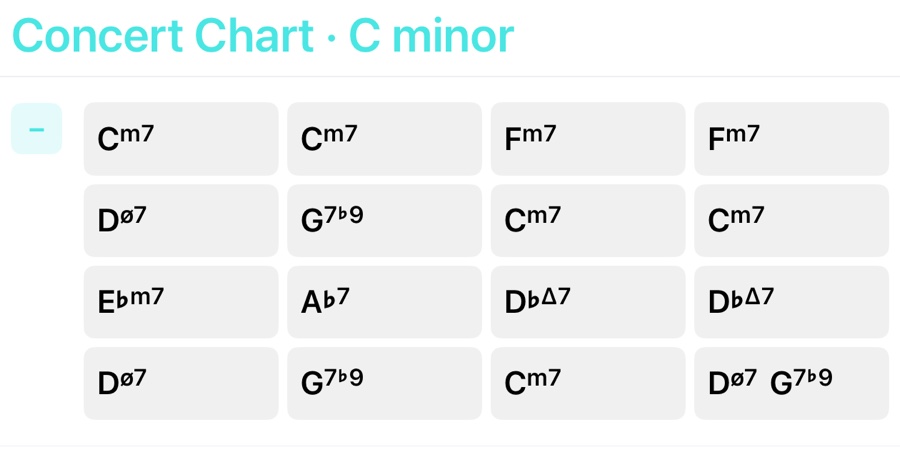
The 16-bar Blue Bossa chart in C minor
Smart Loops

Loops thatcoach you.

Tap the loop button to save a phrase, drag its edges to fit, and give it a name.

  • Auto increase speed or pitch with Smart Loops
  • Link loops as you learnStart with small chunks and then link them together with a tap. Link loops and they play in order, from the last one back to the first, without a pause between them.
  • Loop ViewEvery loop in the song on one screen. Tap one to play it, or step through them with a foot pedal.

Each pass: +10%, +5 semitones

  1. PASS 10.70xC
  2. PASS 20.80xF
  3. PASS 30.90xB♭
  4. PASS 41.00xE♭

Everything else you need.

The rest of the toolkit, built up over ten years on the App Store.

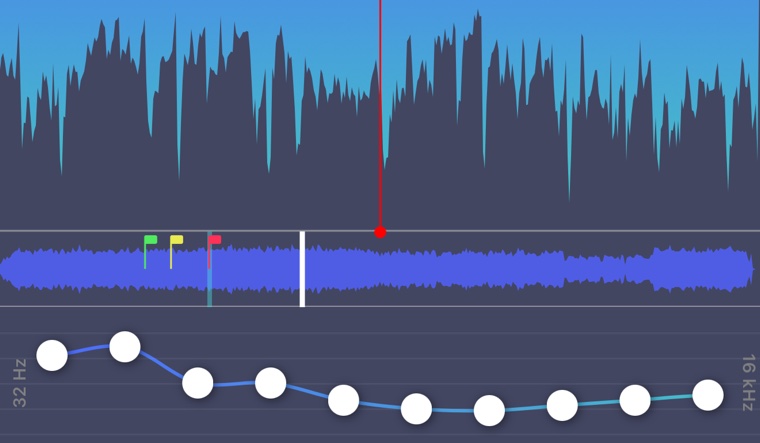
The EQ with the low bands boosted
10-band EQBring up the bass line or pull back the cymbals.
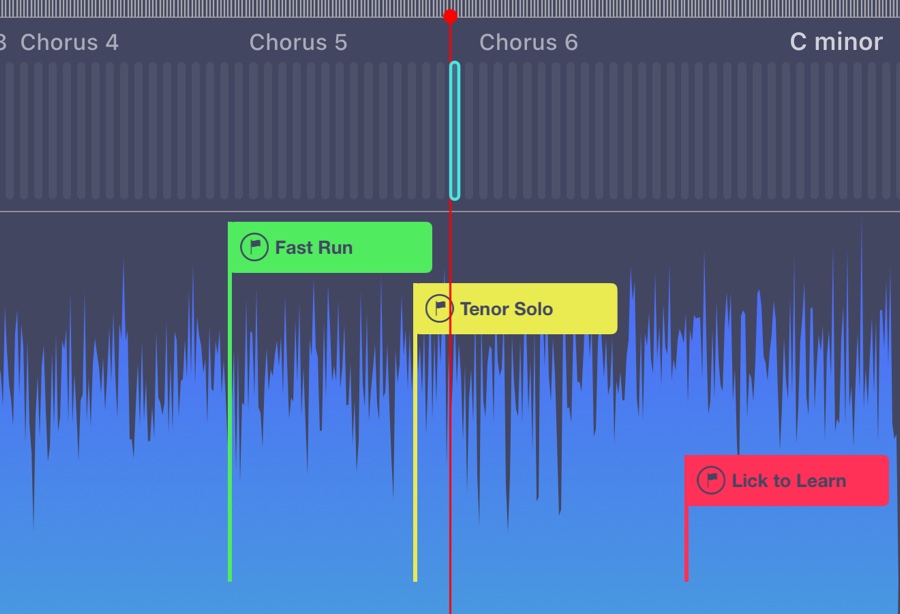
Flags named Fast Run, Tenor Solo and Lick to Learn
FlagsMark the solo, the bridge, the lick to learn, and jump straight to them.
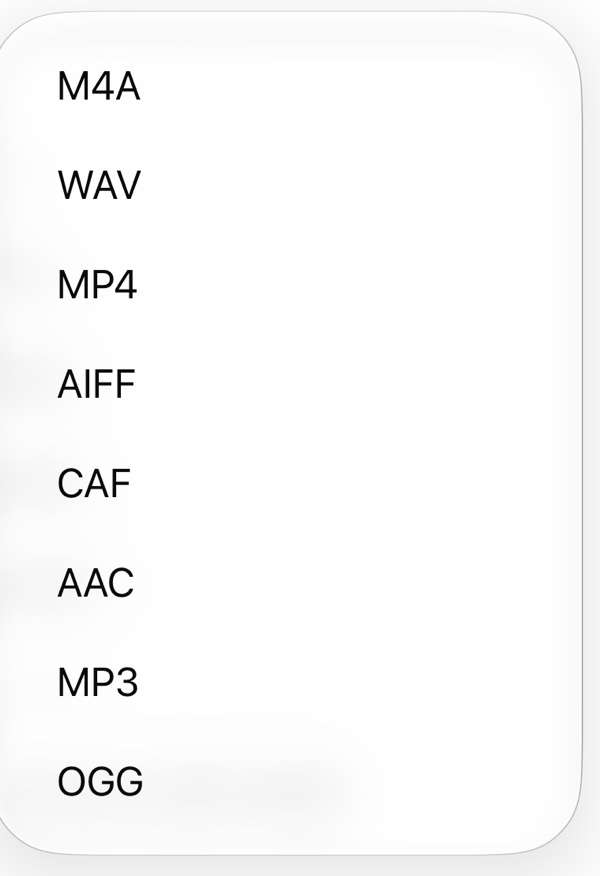
Export formats: M4A, WAV, MP4, AIFF, CAF, AAC, MP3 and OGG
ExportLoops or whole songs at your speed and key, in eight formats.
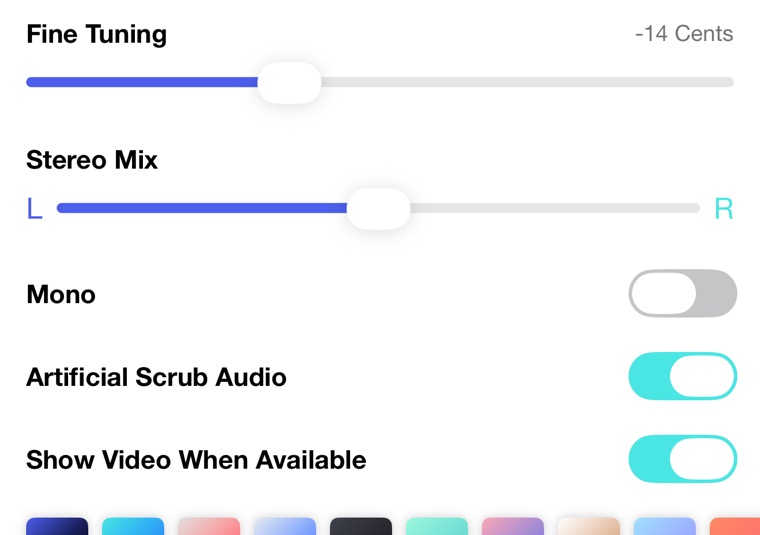
Fine Tuning at minus 14 cents and the Stereo Mix slider
Fine tuning and stereo mixTune in single cents, and lean left or right to pull a part forward.

Videos

Open a video from Photos or Files and loop it like any song.

Your music and files

Songs from your Music library, Files, iCloud Drive and other cloud storage.

iCloud sync

Loops, flags and settings for every song follow you to every device.

iPhone, iPad and Mac

One app on all three, with keyboard shortcuts on iPad and a full menu bar on the Mac.

Pedals and AirPods

Page turners and foot pedals move between flags and loops. Headphone buttons play and pause.

Tap tempo

Tap along to set the tempo, or type it in BPM.

11 themes

Each with an app icon to match.

10 languages

English, French, German, Italian, Spanish, Russian, Japanese, Korean and both Chinese scripts.

“I've tried many apps for modifying tempo and pitch. This is by far the best one, and it comes with a ton of other useful features.”
App Store review

Free to try. Full features with an in-app purchase.

Joe LeBlanc, the developer of Transcribe+
About the developer

Made by a musician.

I'm Joe LeBlanc, a lifelong jazz enthusiast and, for twenty years, a musician in the United States Marine Corps. I've been building apps since 2011, and Transcribe+ has been on the App Store since 2016.

Under the hood

Built on Apple Frameworks

Transcribe+ is a native app for iPhone, iPad and Mac. The heavy lifting happens on your device, with the tools Apple builds into its platforms.

Core ML

Runs stem splitting on the Neural Engine.

Music Understanding

Finds the beats, bars, tempo and key on iOS 27.

Core Audio

Changes speed and pitch with Apple's own audio units.

Accelerate

Fast signal processing for splitting and analysis.

MusicKit

Opens songs from your Apple Music library.

AVFoundation

Plays and exports your audio and video.

CloudKit

Keeps loops, flags and settings in sync.

Mac Catalyst

Brings Transcribe+ to the Mac, menu bar included.

SwiftUI and UIKit throughout, with Dynamic Type and VoiceOver.